Digital wine list for restaurants: 4 formats compared
A guest sits down and gets the menu plus a wine list with forty bottles. They pick a main course in a minute. At the wine they stall, order the house wine or ask the staff for advice at the busiest moment of the evening. A digital wine list can make that moment easier — if you choose the right format.
Because in practice "digital" means four very different things. In this article we put them side by side, cover what to look for when choosing, and give you a plan to get started in one afternoon. If you mainly want to know how to use a QR code on the table well, also read our article on the QR code wine menu.
Four formats of the digital wine list
1. A PDF behind a QR code
Your existing list as a PDF online, with a QR code on the table. Quick to set up and free. The downside: an A4 page is hard to read on a phone, and every change means a new PDF. The guest sees exactly what they saw on paper, only smaller. Suits you if your list is short and rarely changes.
2. A wine list on a tablet
A tablet per table or per server, with photos and descriptions. It looks polished and you control the order. But tablets need charging, cleaning and updating, and they break. Suits you if you have a large list and wine is a fixed part of your restaurant's story.
3. A digital menu with a wine list
A menu platform where you add your wines as a list, with filters for colour, country or price. Easier to read than a PDF and simple to update. What it does not do: tell the guest which wine goes with their dish. They see a tidy list, but the choice stays just as hard.
4. A wine list with advice per dish
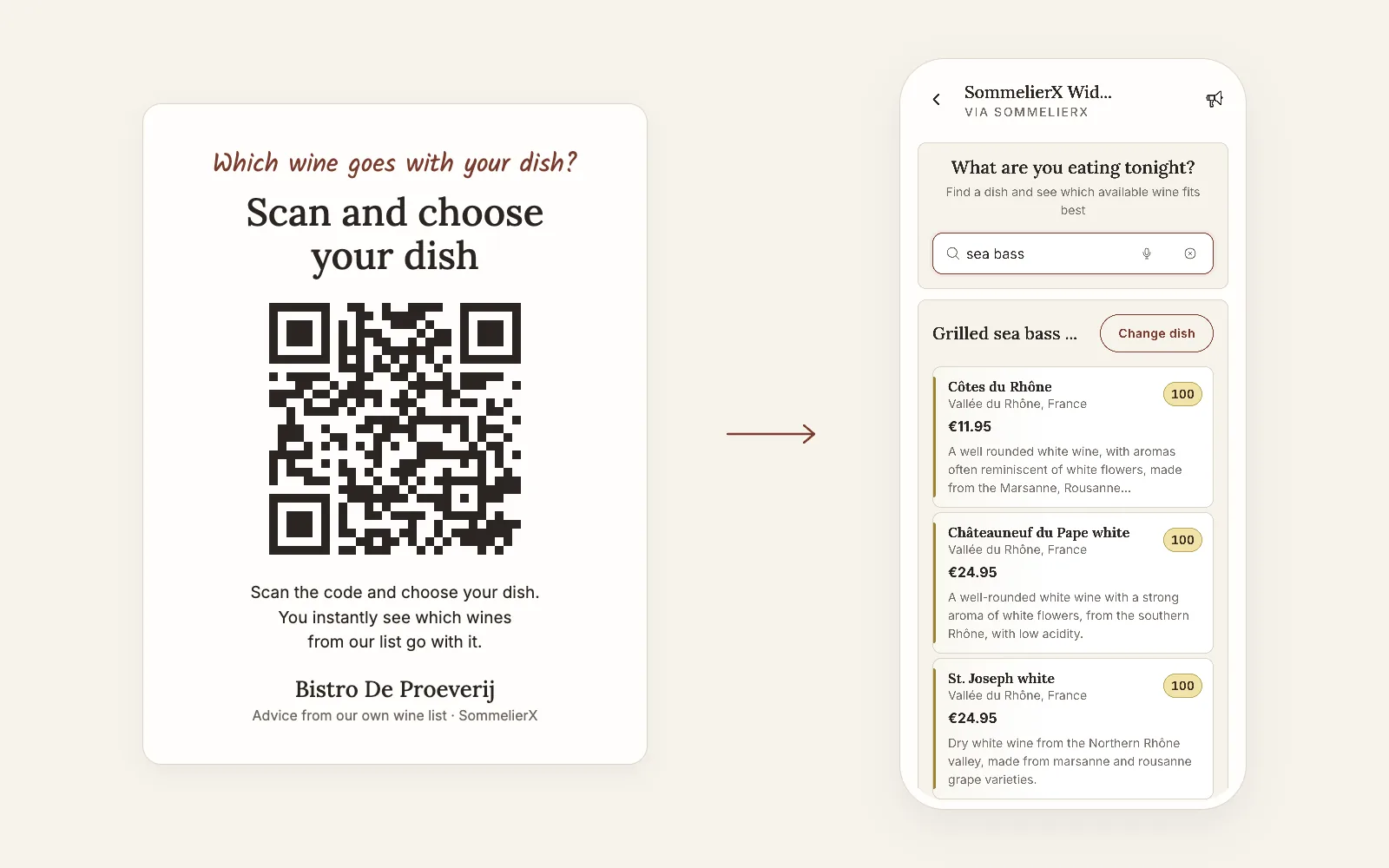
This is where it gets useful: the guest chooses what they are eating and sees which wines from your list fit, with a short explanation why. That is the question guests actually have at the table. It does require someone to link your wines to your dishes — by hand, or with a system that does it for you.
What to look for when choosing
- Who keeps it up to date? A wine runs out, a new bottle arrives. The less work a change is, the longer your list stays right.
- What language does your guest speak? A list that follows the language of the phone saves questions at the table and a stack of translated lists.
- Does your menu change? With a daily or seasonal menu you need something that is not tied to a fixed list of dishes.
- Does paper stay? Not every guest wants to pick up their phone. A short paper list alongside keeps everyone happy.
- Can your staff work with it? The nicest system does not help if your team cannot recommend the wines. Advice the staff can see too makes the conversation at the table easier.
- Do you have reception? A cellar restaurant without signal or wifi makes any online list slow. Test it in the worst spot in the room.
From paper to digital in one afternoon
- Get your list in order. A digital list does not fix a messy one. Go through it first with our guide on building a restaurant wine list and the 7 wine list mistakes costing your restaurant money.
- Choose the format that fits your list, your menu and your team — using the checklist above.
- Choose where the QR code goes: a table card, a sticker on the menu, or both. Visible, but not loud.
- Bring your team along. Let everyone scan once and choose a dish. People who have seen it themselves recommend it to guests.
- Look back after a month. Which wines get chosen, which stay on the shelf? Use that at your next list change.
Where SommelierX fits in this list
SommelierX belongs to the fourth format. Hold it against the same checklist:
- Keeping it up to date: you send a photo of your wine list or enter your website address; we read in every wine and link it to the dishes. List changed? New photo, done.
- Language: the page follows the language of the guest's phone — English, Dutch, German or French.
- Changing menu: the guest picks a dish or types what they are eating, so a daily menu works too.
- Paper: your paper list stays; you get a table card and stickers with your QR code.
- Staff: your team gets a service card with the best wines from your list for each dish and a short explanation.
Cancel monthly. From the makers of WineStein: 17 years of food and wine knowledge, more than 500,000 users and 400+ shops and restaurants in the WineStein era.
Want to know where your list stands first?
Send your wine list. You get by e-mail how many dishes your list covers and where the gaps are. Free, no account.
Send me the free scanFrequently asked questions
Is a digital wine list the same as a QR code wine menu?
Not quite. The QR code is just the door. What sits behind it shapes the experience: a PDF of the paper list, a list with filters, or a list that shows which wine fits each dish.
Should the paper wine list go?
No. Most restaurants keep a short paper list and put the QR code on the table or on the menu. Guests who prefer to browse can keep doing so.
Does a digital wine list work if my menu changes every day?
That depends on the format. A PDF has to be remade every time. With SommelierX the guest picks a dish from the menu or types what they are eating, so a daily menu or dish of the day works too.